Resolution
A larger frame can preserve more detail, but the original upload, compression, and bitrate also influence perceived quality.
InstaFetch video tool
Use a supported public Instagram video URL to check what video media is available. The guide below explains why video quality varies, how portrait footage behaves on desktop screens, why audio matters, and how to keep saved files organized for later use.
Paste a public Instagram video URL
A larger frame can preserve more detail, but the original upload, compression, and bitrate also influence perceived quality.
For tutorials, interviews, and music-driven clips, sound quality is part of the usefulness of the finished file.
Vertical video can look narrow on desktop because the source was designed for a tall mobile screen.
Instagram Video Guide
Video downloads are not just a question of resolution. Duration, audio, aspect ratio, device storage, browser behavior, and the version exposed by the source all affect the file you end up using.
Choose a file that plays smoothly on the device where you will watch it.
Keep the highest useful rendition when you expect to crop, color-grade, or cut the clip.
Balance quality against storage, and keep the original source reference beside the file.
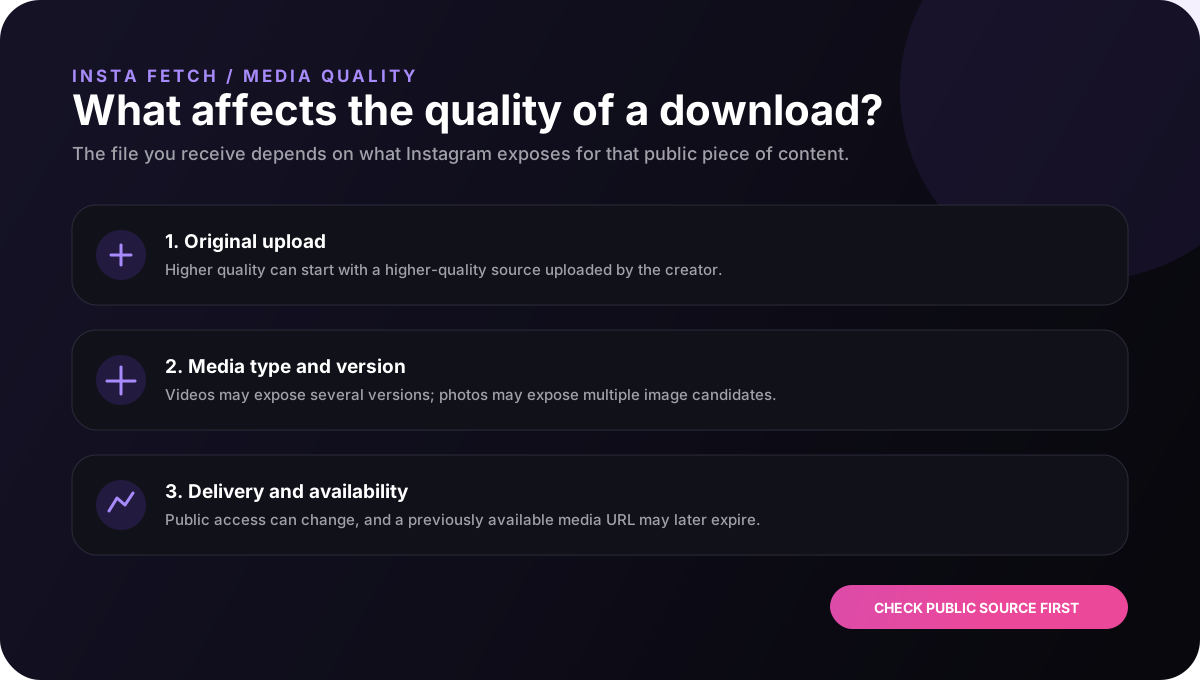
A larger pixel count can look sharper, but resolution does not tell the whole story. Compression, bitrate, motion, lighting, and the original upload all affect what viewers actually see. A video that was heavily compressed during upload will not become cleaner simply because a larger file is requested later.
InstaFetch therefore treats the available rendition as the source of truth. When multiple versions are exposed, the resolver looks at the available dimensions and bandwidth information rather than pretending that every video has one universal quality level.
For ordinary viewing, the most useful file is often the one that balances clarity with size. For editing or archiving, a larger rendition can be more practical, especially when the video contains fine text or fast movement.
Most short-form Instagram videos are designed around a tall mobile screen. On a desktop monitor, that same video may appear with empty space on either side. That is not necessarily a problem with the download; it is a consequence of the original aspect ratio.
Cropping a vertical video to fill a wide frame removes part of the original composition. A better approach for editing is often to keep the original file intact and place it inside the target layout with an appropriate background or framing treatment.
Keeping the source file unchanged also helps when the same clip needs to be reused in more than one context. A master copy can be adapted later instead of repeatedly cropping and recompressing the only available version.
For talking-head clips, tutorials, interviews, and music-driven edits, audio quality often determines whether a downloaded video is actually useful. A visually sharp file with damaged or missing sound can be less valuable than a slightly smaller file with intact audio.
When a returned result includes a video URL, the browser receives the media version exposed by the resolver. InstaFetch does not reconstruct a soundtrack from a separate source or ask users to provide account credentials to unlock audio.
After downloading an important video, it is worth opening the file once on the target device. A quick playback check catches issues with sound, aspect ratio, or compatibility before the file is moved into a larger project.
Start with the purpose. A clip that is only being watched offline does not have the same requirements as a file being imported into an editor. For temporary viewing, smaller files can save storage and transfer time. For editing, keeping the highest useful rendition can reduce quality loss later.
Next, consider where the file will live. Phones and tablets have limited local storage, while desktop or cloud workflows can tolerate larger media. If you are collecting many clips, total storage can become more important than the difference between two individual resolutions.
Finally, keep the original source link with material that has ongoing project value. That gives you a reference point if you later need to confirm the original post, creator, context, or permission.
Good practice
A downloader cannot recreate details that were never present in the original upload. When evaluating video quality, focus on the source rendition that is actually available rather than assuming that a larger download is always a cleaner one.
Video workflow notes
If a clip matters to a project, save one untouched copy first. Create crops, resized versions, subtitles, or color adjustments from that master rather than repeatedly processing the same download. This keeps later versions easier to compare and reduces unnecessary quality loss.
It is also helpful to record the source URL and the date you collected the clip. A filename tells you what a file is called; the source note tells you where it came from and gives you a way to check the surrounding context later.
For large collections, storage planning matters. Ten small reference clips may occupy less space than one high-resolution project file, so choose quality according to the job instead of downloading the largest possible file by default.
FAQ
It is a web tool that checks a supported Instagram URL for downloadable video media. InstaFetch focuses on public videos that can be accessed and processed.
The result depends on the media rendition exposed by the public source. InstaFetch cannot recreate details that are not present in the available source file.
Yes. InstaFetch is browser-based and can be used from supported mobile and desktop browsers without a dedicated downloader application.
A page can remain visible while the current delivery path does not expose a media file that the resolver can process. Post changes and platform delivery changes can also affect availability.
Downloading access does not automatically grant reuse rights. Check copyright, privacy, publicity rights, music rights, and any permission needed for the intended use.