Portrait format
A vertical Reel can appear narrow on desktop because its source composition is designed for a tall screen.
InstaFetch Reels tool
Check supported public Instagram Reels from your browser. This page combines the downloader with practical information about vertical video, source URLs, audio, file organization, and the difference between downloading access and permission to reuse a creator's work.
Paste a public Instagram Reel URL
A vertical Reel can appear narrow on desktop because its source composition is designed for a tall screen.
Keep the original Reel URL with important saved clips so the creator and surrounding context remain easy to find.
Speech, music, and on-screen text can be central to a Reel, so check the complete file before using it elsewhere.
Instagram Reels Guide
Reels are built for quick, vertical viewing, but the reasons people save them vary. Some want an offline copy of their own public work, others are collecting references, and some are preparing clips for a project where the original source must remain easy to identify.
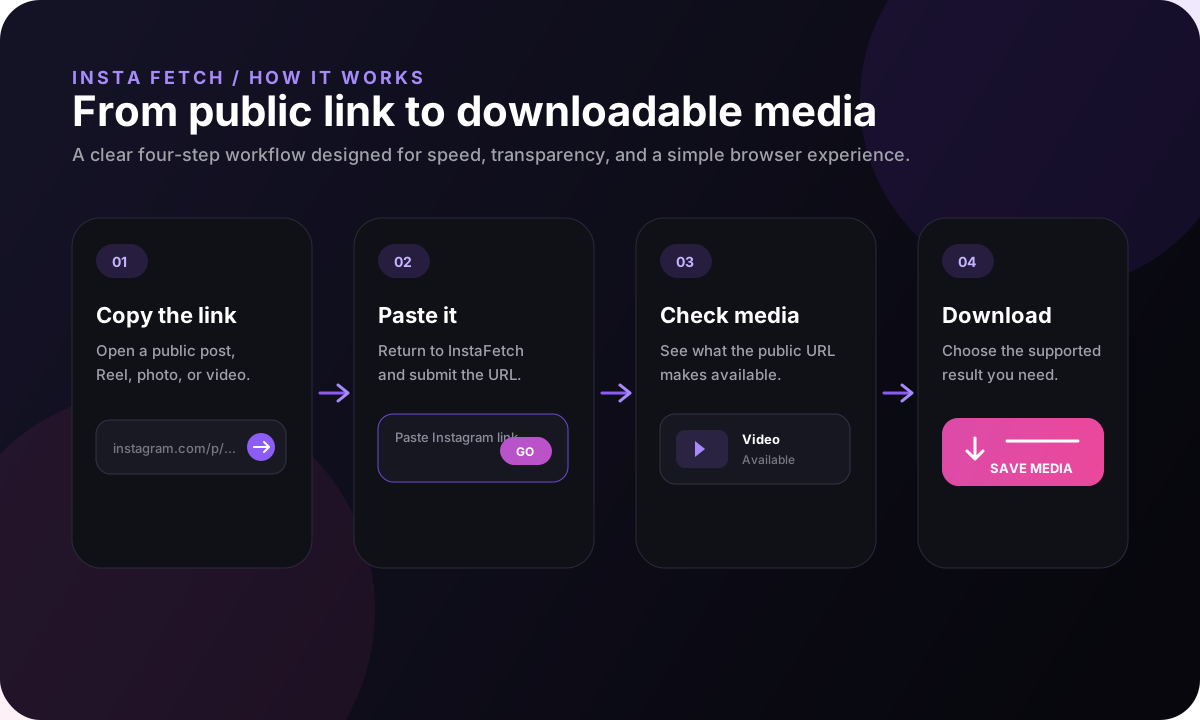
Expect a tall video canvas on desktop because Reels are designed for mobile viewing.
Keep the creator and source URL with saved reference clips.
Keep the original file intact before making crops or edits for another format.
A Reel URL copied directly from Instagram is the best reference for the media you want. Using the original share link avoids confusion between the creator's page and unrelated search or repost pages.
When the link is submitted, InstaFetch checks whether the URL matches a supported Reel-style path and whether public video media can be resolved. A valid-looking link can still fail if the Reel is no longer public or if the current media delivery system does not expose a downloadable version.
Keeping the original URL also helps later. If you use the file in notes, a presentation, or a creative workflow, the source remains one click away for checking context.
Reels are designed around vertical phone screens, so the source video often uses a tall aspect ratio. On a laptop or desktop, it may appear narrow even when the file is high quality. That behavior is expected and does not mean the video was damaged during download.
For editors, the original portrait file is usually the best starting point. Creating a separate widescreen crop too early can remove subtitles, faces, product details, or other important parts of the composition.
A practical workflow is to keep the original Reel as the master file and create edited variants only when a specific platform or project calls for them.
Reels can rely heavily on speech, music, subtitles, or on-screen text. A saved video should therefore be checked as a complete piece rather than judged only from the thumbnail. A file that looks correct in a preview can still behave differently when played on another device.
If a Reel is being used as a reference, record the context at the same time: the creator, the source URL, the date you accessed it, and what you intend to use it for. This is especially helpful when a project contains many similar clips.
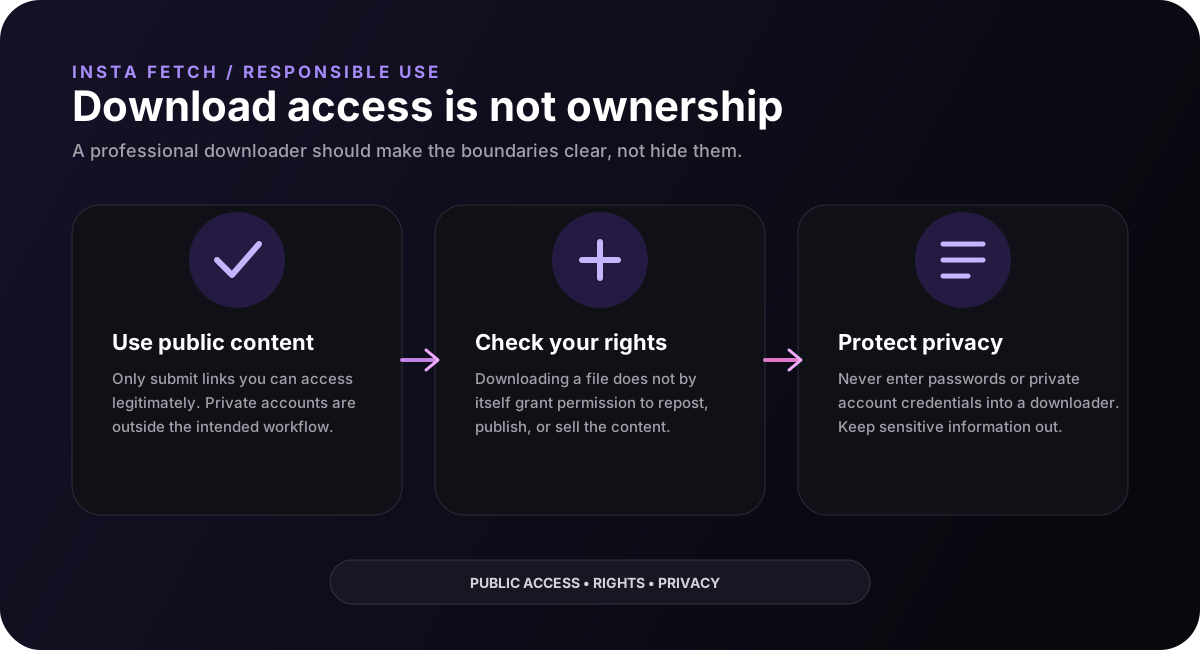
If the content includes someone else's voice, likeness, music, or original editing, remember that downloading the file does not remove the rights attached to those elements.
The first check is simple: open the Reel in a normal browser and verify that it is still publicly viewable. If it no longer loads, the downloader cannot reliably obtain a public copy from the same URL.
If the Reel is visible but the downloader returns no media, the cause may be a change in the platform's public delivery path or an unsupported version of the content. Trying the original link again can help, especially after a recent change to the post.
The important part is to treat a failed resolution as an availability result rather than a promise that can be bypassed with account credentials.
Good practice
The most useful archive is not just a video file. Keep enough context to understand where the clip came from, who created it, and why you saved it.
Reel workflow
A Reel may eventually need a crop for a presentation, a square preview, or a longer-form edit. Keep one original copy first. Cropping, resizing, and repeated exports can remove information from the image and make future changes harder.
For research or creative reference, write down the creator and source URL at the same time you save the clip. A saved video without context quickly becomes difficult to identify when a project contains many similar files.
When the Reel contains licensed music, another person's face, brand material, or original artwork, review the rights attached to those elements before publishing the downloaded file anywhere else.
FAQ
It is a browser-based tool that checks a supported public Reel URL for downloadable video media.
Most Reels are designed for a tall mobile canvas. The original portrait aspect ratio can therefore look narrow on a wide desktop screen.
Yes. A Reel can become private, be deleted or restricted, or stop exposing a media rendition that the current resolver can process.
No. The workflow is based on a supported public URL and does not ask you for Instagram credentials.
Downloading a file does not by itself grant permission to republish it. Review copyright, privacy, music, and creator-rights considerations before reuse.